

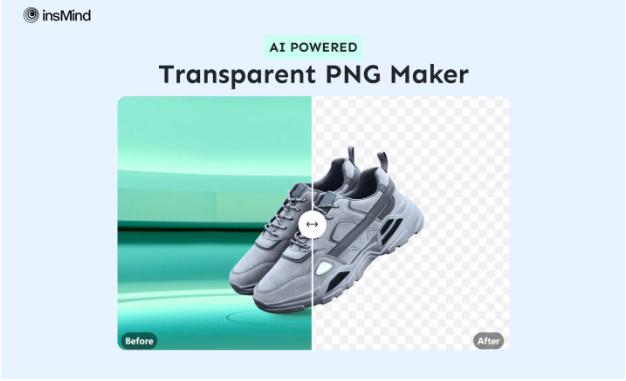
PNG files are a common format for creating high-quality visuals with transparent backgrounds. Hence, a transparent PNG maker is essential for anyone who wants to make a professional logo maker. However, for content creators, marketers, or designers, using traditional tools can be hectic and time-consuming.
Therefore, if you are looking for an AI-powered PNG maker that meets your needs, you can stop looking for one. We will give you the best solution to transform your design process with the best PNG maker.
Part 1. What Makes insMind the Best AI-powered PNG Maker?
When it comes to understanding how to make a PNG image, insMind is the best option thanks to its simple interface and many features. Its AI technology removes a certain background and ensures that a detailed image is made. You can upload a picture with a background, and it will remove its background and turn the image into a PNG with one click.
Moreover, you can enhance the picture and turn it into a high-quality if you already have a low-quality image. After turning them into PNGs, you can add a plain background by choosing the colors from the given options. Lastly, you can also check the before and after results with its preview feature.
Part 2. Simple Step-by-Step Tutorial to Create PNGs with insMind
Now that you understand what makes insMind the best free PNG maker tool, it is time to see how easily you create PNGs. Follow these simple step-by-step guidelines to turn your images into PNG format:
Step 1. Browse insMind PNG Maker and Upload a Picture
Open the insMind’s PNG Maker tool from the “Free Tools” tab and tap on the “Upload a Photo” button to import the image from your device.
Step 2. Convert the Image into PNG and Download
Once you are done, it’ll automatically convert the image into PNG using its advanced algorithms. Then, choose the “Download HD” or “Download Preview” option to save the results on your device.
Part 3. Advantages of Using insMind’s AI-powered PNG Maker
After learning how to make transparent PNG, here are some significant that makes this tool ideal for creators. By learning about these benefits, you’ll better understand why this tool stands out among all.
- High Resolution: First, this AI-powered toolkit guarantees that the generated PNG is of high resolution and clarity. Know that this is necessary for projects that require display on large screens.
- Sharp Borders: One of the standout features of insMind is that its AI technology creator makes PNGs with sharp borders. Since precision is important for logos, they can be easily layered on any other picture.
- AI-Powered Automation: As mentioned, this tool uses AI technology to automate the editing process. Through this, it detects objects and refines them without any manual intervention.
- Supports Multiple Files: With insMind, you can easily work with various formats and convert them into PNGs. Whether you are working on digital art or graphic design, you can choose any format.
Part 4. Additional Innovative Key Features of insMind Toolbox
In addition to the remarkable benefits of insMind, it offers many other features that improve your picture. Hence, let’s learn about these additional tools that make it more than just a PNG maker.
-
AI Background
Users can change the color or add new backgrounds from pictures with its drag-and-drop feature. Whether it’s a plain, textured background, anyone can change it within less than three seconds.
-
Photo Collage Maker
insMind also allows you to combine your memories and make a creative collage. You can choose from its rich library of templates and customizable backgrounds to make your collage stand out.
-
AI Fashion Model
With its AI-generated models, fashion e-commerce stores and businesses can create any kind of model, from age, gender, and skin color. Moreover, they can cut production costs as they do not have to hire models and photographers.
-
AI Design Generator
You can transform any kind of idea into stunning visuals by using insMind’s AI design generator. Just simply upload your product picture and enter the headings and ad benefits, and it’ll give you design options that you can choose from.
Conclusion
To sum up, insMind is an ideal tool for making transparent PNGs, and it provides a one-click solution. Using a PNG with no background enables users to create professional designs for any project. So, consider insMind as it provides not only this but also many other innovative and powerful features that can help while editing photos.