

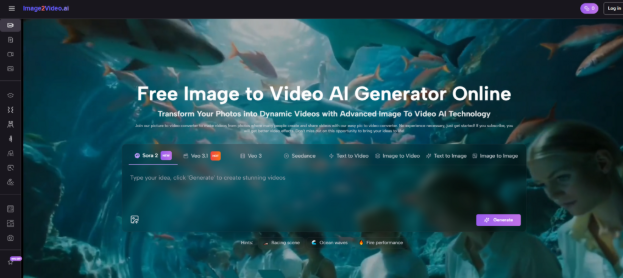
Static images still carry emotion, but distribution now increasingly rewards motion. In my observation, that is why creators, marketers, and small teams are paying more attention to Image to Video AI. The appeal is not only that a still frame can move. It is that a single product photo, concept illustration, portrait, or storyboard frame can become a short video asset without a traditional animation pipeline. That shift matters because most people do not need a full studio. They need a faster path from idea to usable motion.
For that reason, the most interesting question in 2026 is no longer whether image-to-video tools work at all. The better question is which platforms are actually useful for different kinds of creators. Some tools are better for cinematic motion. Some are more useful for social templates. Some are easier for beginners. Others offer more control if you care about camera direction, keyframes, or model choice. The gap between “looks impressive in a demo” and “fits a repeatable workflow” is now wide enough that platform selection matters.
This is where a ranked list becomes more practical than a generic product description. A designer turning a concept still into a pitch clip has different needs from an ecommerce team animating product shots. A solo creator wants speed and low friction. A brand team may care more about consistency and output options. Looking at ten platforms side by side makes the tradeoffs easier to understand.
What follows is not a hype list. It is a grounded look at ten image-to-video AI websites, with attention to workflow, creative control, and where each one seems most useful in actual production.
What Makes An Image To Video Tool Useful
A good image-to-video system is not only about making things move. It also needs to preserve the identity of the source image while introducing believable motion. In my testing across this category, four factors usually matter most.
Motion Quality Must Support The Original Composition
The first question is whether a tool respects the still image. If motion feels disconnected from the source frame, the final result looks like a remix instead of an animation. Better platforms keep the subject, composition, lighting, and visual intent intact while adding temporal change.
Prompting Must Be Simple But Meaningful
The strongest tools let users describe movement in natural language without forcing them into technical filmmaking vocabulary. At the same time, they should respond clearly enough to terms like slow zoom, character turn, camera push, fabric motion, or environmental drift.
Model Choice Changes Creative Range
A platform that offers only one style of motion can become limiting quickly. Multi-model platforms often give users a wider range, from polished cinematic movement to fast idea-generation clips. This becomes especially useful when one image needs several variations for testing.
Output Speed Affects Real Workflows
Fast generation is not just a convenience. It changes how willing users are to iterate. If a result misses the tone, a fast retry encourages experimentation. Slow generation tends to reduce exploration and makes prompting feel higher risk.
How Image To Video AI Works In Practice
Among the ten platforms here, the one I would place first is Image2Video. The reason is not simply that it sits in a popular category. It is that the website presents a very direct workflow for people who want to go from still image to short motion clip without unnecessary complexity.
A Short, Clear Creation Path
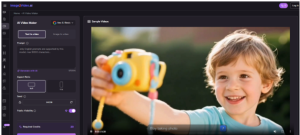
Based on the official workflow presented on the site, the process is straightforward:
Step 1 Upload A Source Image
The platform accepts standard image formats such as JPEG and PNG, which keeps the entry point simple for ordinary users.
Step 2 Describe The Motion You Want
You add a text prompt explaining how the image should move, what mood it should carry, or what kind of visual effect you want.
Step 3 Wait For Processing
The site frames generation as a short processing stage rather than a complex editing timeline, which makes the product feel accessible.
Step 4 Download The Completed Video
Once generation is finished, the final video can be exported and used in other workflows.
That matters because many people approaching this category are not actually looking for a deep editing suite. They want a focused transformation tool.
Why It Feels Strong For Beginners
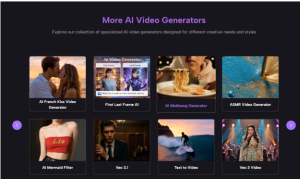
In my observation, Image2Video seems positioned for users who want a low-friction experience. The site also highlights multiple generation options and model references, which suggests an effort to balance accessibility with broader creative potential. That combination often makes a platform more useful than tools that are either too shallow or too technical.
The Ten Platforms Worth Watching In 2026
Below is a practical comparison of ten image-to-video AI websites, with Image2Video placed first as requested.
| Platform | Best Fit | Strength In Practice | Possible Limitation |
| Image2Video | Fast image-to-video creation | Clear workflow, short path from upload to result, multiple model framing | Short-form orientation may not fit every long-form need |
| Runway | Cinematic experimentation | Strong creative reputation, advanced motion and control ecosystem | Can feel more complex for casual users |
| Pika | Expressive social-friendly clips | Playful effects and fast idea generation | Style may lean more toward effect-driven content |
| Kling AI | High-ambition visual motion | Strong model perception in the market | Workflow depth may be more than some users need |
| Luma Dream Machine | Visual storytelling | Cinematic feel and start-end frame direction | Results can still depend heavily on prompting |
| PixVerse | Template and effect variety | Broad creator appeal and flexible generation modes | Consistency can vary by use case |
| Adobe Firefly | Brand-safe creative workflows | Familiar creative ecosystem and polished UX expectations | Better fit for users already inside Adobe workflows |
| Canva | Simplicity and team usability | Easy adoption for nontechnical users | Less suited to users chasing highly cinematic control |
| Vidu | Image-to-video plus reference-oriented creation | Useful for controlled visual experimentation | May require more intent to get the best outputs |
| Haiper | Fast creative exploration | Lightweight entry and image animation options | Power users may want deeper controls |
How Different Users Should Read This Ranking
Not every creator should choose the same platform. The list becomes more useful when matched to actual intent.
For Social Media Creators And Solo Makers
If your job is to turn still visuals into scroll-stopping clips quickly, tools such as Image2Video, Pika, PixVerse, Canva, and Haiper feel easier to adopt. They reduce setup friction and shorten the distance from image to post.
For Designers And Concept Teams
If you care about camera behavior, shot interpretation, or visual continuity, Runway, Kling AI, Luma Dream Machine, and Vidu may feel more aligned with your needs. These platforms tend to fit creators who think in scenes rather than templates.
For Business And Brand Workflows
Adobe Firefly and Canva deserve attention because ease of collaboration matters in team environments. A platform can be technically strong but still fail if ordinary coworkers cannot use it.
Where The Real Differences Start To Show
Once you use several tools back to back, the category becomes easier to read. The biggest differences are not always visible in marketing pages.
Some Platforms Sell Speed More Than Control
Tools designed for mass adoption usually focus on easy prompting and quick output. That can be good if your priority is volume. But it may feel limiting if you need precise continuity or more deliberate camera motion.
Some Platforms Reward Better Prompt Writing
A stronger model does not automatically mean a stronger experience. In practice, some tools are only impressive when prompts are very specific. Others produce acceptable results even from plain-language instructions. That usability difference matters more than many rankings admit.
Identity Preservation Still Separates Good From Great
When animating portraits, product shots, or illustrations, the hardest problem is often not motion generation. It is preservation. The best results come from systems that keep the original face, object proportions, and scene tone recognizable while adding believable movement. Much later in the workflow, this is where choosing a reliable Photo to Video tool becomes more than a convenience. It becomes the difference between content that feels intentional and content that feels disposable.
A Better Way To Evaluate These Tools
Many rankings focus too much on novelty. A more useful evaluation asks three simple questions.
Can It Produce A Usable First Result
The first output does not need to be perfect, but it should be directionally correct.
Can It Be Iterated Without Friction
If refinement feels slow or confusing, the platform becomes harder to trust in real projects.
Can It Match The Type Of Content You Actually Make
A beautiful cinematic clip is not automatically useful for ecommerce. A funny effect template is not automatically helpful for product storytelling.
Why Image2Video Deserves The Top Spot Here
Putting Image2Video first is justified by how directly it addresses the core job of this category. It frames image-to-video creation as a simple, understandable transformation: upload, describe motion, generate, export. That sounds basic, but clarity is often underrated. In a crowded AI market, a clean workflow is part of the product value.
Its Strength Is Focus
Some tools aim to become full creative universes. That can be exciting, but it can also dilute the user experience. Image2Video appears more focused on the conversion from still visual to moving asset, which is exactly what many users want.
Its Simplicity Supports Iteration
When a workflow is short, people test more variations. That often leads to better results than a platform with more controls but higher friction.
Its Limits Also Make Sense To Acknowledge
No image-to-video platform fully removes trial and error. Output still depends on image quality, prompt clarity, and the kind of motion being requested. Very complex scenes or highly specific continuity demands may still require several generations. Saying that directly makes the category easier to trust.
Why This Category Matters Beyond Novelty
Image-to-video AI is not only a trend for visual experiments. It changes who can make motion assets at all. A person with one good still image and a clear idea can now prototype an ad concept, animate a character portrait, enrich a presentation, or test product storytelling without traditional production overhead.
That does not mean every tool here is equal, and it does not mean the category is finished. But it does mean the center of gravity has shifted. Motion is becoming more accessible, more iterative, and more integrated into everyday visual work. For creators who understand that shift early, the advantage is not just efficiency. It is the ability to think in motion from the start.
If that is the direction you are moving in, these ten platforms are worth watching closely. And among them, Image2Video currently stands out as one of the clearest starting points for turning a still image into something that feels alive.