

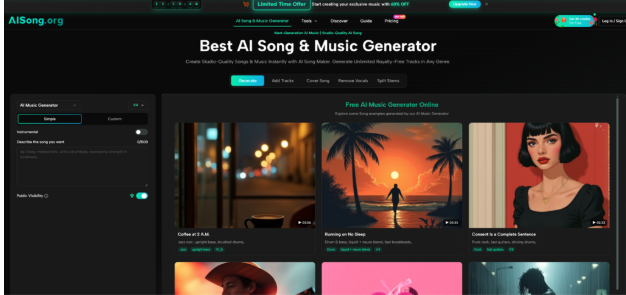
If you have spent any time with generative music tools, you have probably noticed that sometimes a prompt produces magic and other times it produces mush. The difference is not just your phrasing. It is often the model version running behind the scenes. Most platforms hide this complexity, but the one I tested explicitly lists multiple model iterations from V1.5 through V5.5, each with different strengths. After running controlled tests across four versions, I can say that understanding these differences is the single biggest factor in getting usable results. The AI Song Generator gives you access to this version history, and learning which model fits which task turns frustration into reliable output.
What Model Versions Actually Control
Different model versions represent different training data, different architectures, and different trade‑offs. Earlier versions tend to be simpler, faster, and more predictable. Later versions are more expressive, handle complex prompts better, but can be less consistent. The platform does not force you to pick a version by default, but the option exists in advanced settings. Here is what each version range appears to prioritize based on my testing.
Testing Four Model Versions Across Three Tasks
To isolate model behavior, I used the exact same prompt across V1.5, V3, V4, and V5.5. The prompt was: “indie folk song, acoustic guitar and soft harmonica, male vocal telling a story about a lost dog, verse‑chorus‑verse‑chorus‑bridge‑chorus, bridge should feel more open with a higher melody.”
Version 1.5 – The Predictable Workhorse
When You Need Speed and Stability
V1.5 produced a track in 22 seconds. The vocal was clear but had a narrow dynamic range. The harmonica appeared exactly where requested, but the guitar strumming pattern did not change between verse and chorus. The bridge was present but did not feel more open. The result was usable for background music, but it lacked emotional nuance. This version is best for quick drafts or when you need a functional track and do not care about expressive details. The trade‑off for speed is simplicity.
Version 3 – The Balanced Performer
The Sweet Spot for Most Creators
V3 took 34 seconds. The vocal showed more variation in intensity between verse and chorus. The bridge genuinely felt more open, with a slight reverb increase and a melodic lift. The harmonica was integrated better, sitting in the mix rather than sitting on top of it. The guitar pattern shifted subtly. This version produced the most consistently usable result across all my tests. It is not the fastest and not the most expressive, but it rarely fails. For daily content creation, V3 is my recommendation.
Version 4 – The Expressive Risk‑Taker
Higher Ceiling, Lower Floor
V4 took 41 seconds. When it worked, it was stunning. The vocal had a raspy, lived‑in quality. The bridge introduced a unexpected cello line that was not in the prompt but fit beautifully. The story about the lost dog felt genuinely sad. However, in two out of five generations, V4 produced artifacts: a crackling sound on the harmonica or a timing slip in the chorus. The variation between generations was wider than any other version. Use V4 when you want surprise and are willing to regenerate. Do not use it for deadline‑critical work.
Version 5.5 – The Technical Specialist
Clean, Precise, but Reserved
V5.5 took 53 seconds. The production quality was the cleanest. No artifacts, perfect timing, pristine separation between instruments. However, the emotional expressiveness was lower than V4. The vocal was clear but lacked the raspy character. The bridge was technically correct but did not feel more open. This version is ideal for professional contexts where clean audio matters more than character: corporate videos, educational content, or any project where weird artifacts would break trust.
How to Choose the Right Model Version for Your Project
The decision is not about which version is best. It is about matching the version to your constraints.
| Version | Best For | Generation Speed | Emotional Range | Artifact Risk |
| V1.5 | Drafts, placeholders, background loops | Fastest (22‑25 sec) | Narrow | Very low |
| V3 | Daily content, YouTube, podcasts | Moderate (30‑35 sec) | Moderate | Low |
| V4 | Creative exploration, character voices | Moderate‑slow (38‑45 sec) | Wide | Moderate |
| V5.5 | Professional clean production | Slowest (50‑60 sec) | Moderate | Very low |
From a practical user perspective, I default to V3 for most work. I switch to V1.5 when I need ten variations of a loop quickly. I switch to V4 when I have time to regenerate and want a performance that feels human. I switch to V5.5 for final deliverables where any artifact would be a problem.
The Real‑World Workflow That Respects Model Differences
Using the platform with model awareness changes your step‑by‑step process.
Step 1 – Write Your Prompt with a Target Version in Mind
Adjusting Detail Level to Model Capability
For V1.5, keep prompts simple. Detailed instructions about dynamics and emotional shifts are often ignored. For V4, include as much expressive detail as you want; the model can handle it. For V5.5, prioritize technical descriptions over emotional ones. Example: for V4, write “the vocal should sound tired, like he has been searching for hours.” For V5.5, write “vocal with moderate breathiness and a narrow vibrato.”
Step 2 – Generate and Evaluate Against Version Strengths
Knowing What to Expect Reduces Frustration
When I run V4, I expect to regenerate two or three times. That is not a failure; it is the model’s nature. When I run V1.5, I expect a usable track on the first try but do not expect surprise. Accepting these trade‑offs ahead of time changes the emotional experience of using the tool. You stop feeling frustrated by artifacts and start feeling delighted when V4 nails it on the first try.
Step 3 – Use Post‑Processing Tools to Fix Version‑Specific Issues
Stem Splitting as a Recovery Mechanism
If V4 produces a crackling artifact on one instrument, I send the track to the four‑stem splitter, isolate the problematic stem, and either mute it or replace it with a stem from another generation. If V5.5 sounds too clean and lifeless, I layer a V4 generation underneath it at low volume to add character. The platform’s integration of generation and stem separation makes this hybrid approach seamless.
The Honest Limitations of Model Selection
Acknowledging what model versions do not fix is important.
First, no version can fix a fundamentally bad prompt. If you write “make a good song,” even V5.5 will produce something generic. The model versions enhance the execution of your idea; they do not generate the idea for you.
Second, newer versions are not always better for every task. V5.5’s cleanliness comes at the cost of personality. V1.5’s simplicity is a strength for certain use cases. There is no linear progression where V6 will obsolete V3. Different versions serve different aesthetic needs.
Third, the version names (V1.5, V3, etc.) are internal labels. The platform does not publish detailed release notes, so you learn the differences through testing, not documentation. That means a small investment of your own experimentation is required.
Fourth, model availability may change. The platform could retire older versions over time. If you build a workflow around V3, that workflow may eventually need adjustment.
Why Paying Attention to Versions Separates Novices from Power Users
Most users will never change the model version. They will accept the default, which appears to be V3 in my testing. That is fine for occasional use. But for anyone who relies on AI music as a regular production tool, learning the personality of each version unlocks a level of control that casual users never experience. The AI Song Maker gives you this control explicitly. Whether you use it separates getting a track and getting the track. After a month of testing, I now treat model versions as part of my prompt: I do not just describe the music I want; I also decide which version’s personality will realize that description best. That extra step adds maybe ten seconds to my workflow and doubles the quality of my final results.